The phantom web — why AI crawlers can't see your React app
Googlebot renders your JavaScript. The crawlers reading the web for ChatGPT, Claude and Perplexity don't — and that gap decides whether AI can see you at all.
Abstract
For fifteen years we've been told client-side rendering is fine — Google sees the finished page. The machines now reading the web for AI answers made the opposite choice: they read the raw HTML and skip your JavaScript entirely. If your content only appears after the code runs, it's a phantom — there on screen, invisible to the crawler.
Here's a failure I keep running into, and it's almost invisible: a company has genuinely good content on its site, and the AI answers still get it wrong — or skip the company entirely. The page is fine. The problem is that the machine reading it never saw the page you see.
It's not a content problem or an authority problem. It's a rendering problem — and it's quietly deciding who shows up in AI search.
First — what "rendering" means
When you open a web page, your browser does two jobs. First it downloads an HTML file: the raw text the server sends back. Then, on most modern sites, it runs JavaScript that builds the rest of the page in front of you — pulling in the content, assembling the layout, filling in the words. That second job is rendering.
On a lot of today's sites — anything built with React, Vue or Angular — almost everything that matters happens in that second job. The raw HTML that arrives first is nearly empty: a shell and a script tag. The page you actually read is assembled a half-second later, by code, in your browser.
That's client-side rendering (CSR), and the question that decides your AI visibility is simple: does the thing reading your page bother to run that code?
The rendering gap
Running JavaScript for every page on the web is enormously expensive. So every crawler has to decide whether it's worth it — and they've split into two camps.
Google decided it was worth it. Its documentation is explicit: once resources allow, a headless Chromium renders the page and executes the JavaScript. Googlebot runs a real browser. That's why, for fifteen years, "client-side rendering is fine for SEO" has been true: Google sees the finished page.
The machines now reading the web for AI made the opposite choice. In late 2024, Vercel and MERJ instrumented their network and watched the AI crawlers work. The finding was blunt: none of the major AI crawlers render JavaScript. GPTBot, OAI-SearchBot and ChatGPT-User (OpenAI), ClaudeBot (Anthropic), PerplexityBot, Bytespider (ByteDance), Meta-ExternalAgent — every one of them fetches the raw HTML and stops. They'll even download your JavaScript files — ChatGPT pulled JS on 11.5% of requests, Claude on 23.8% — but downloading isn't running. They never execute it. They can't see what it would have built.
| Crawler | Runs JavaScript? | What it gets |
|---|---|---|
| Googlebot — Google Search, Gemini | Yes — headless Chrome | The page you see |
| AppleBot — Siri, Apple Intelligence | Yes — browser-based | The page you see |
| GPTBot · OAI-SearchBot · ChatGPT-User | No | Raw HTML only |
| ClaudeBot — Anthropic | No | Raw HTML only |
| PerplexityBot — Perplexity | No | Raw HTML only |
| Bytespider — ByteDance | No | Raw HTML only |
| Meta-ExternalAgent — Meta AI | No | Raw HTML only |
This is the trap. Your traditional SEO audit checks Googlebot, Googlebot renders, everything looks healthy — so nobody flags it. Meanwhile six of the seven crawlers feeding the fastest-growing way people find things are reading a different, emptier version of your site.
And Google's "yes" carries an asterisk of its own. It renders in two passes — it reads your HTML first and runs the JavaScript later, once its resources allow. That second pass is deferred and the render budget is finite, so on a heavy, slow page even Google can be late or come up short. Getting your content into the HTML isn't only an AI-crawler fix — it removes a tax Google quietly charges too.
What the AI crawler actually sees
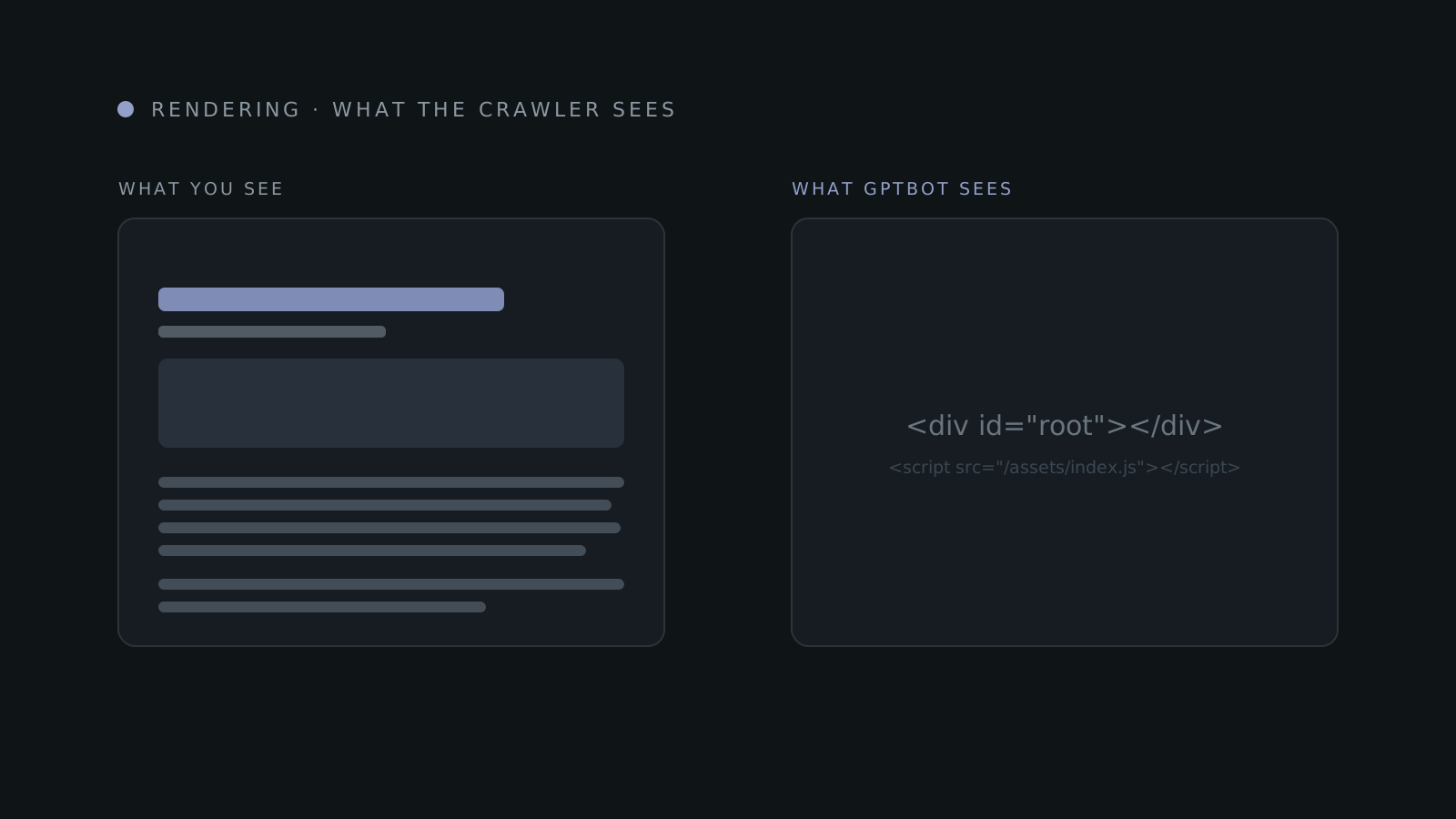
Here's the raw HTML a typical client-rendered app sends back — the exact bytes GPTBot receives and works from:
<!doctype html>
<html>
  <head>
    <title>Acme — Industrial Widgets</title>
  </head>
  <body>
    <div id="root"></div>
    <script src="/assets/index-a1b2c3.js"></script>
  </body>
</html>
That's it. The headline, the product details, the prose you spent weeks on —
none of it is here. It all lives inside that one script, waiting to run. Googlebot
runs it and sees a full page. GPTBot reads an empty <div> and moves on.
If your content only exists after the JavaScript runs, then to the machines reading the web for AI answers, it doesn't exist.
It's not just single-page apps
You don't have to run a full React app to fall into this. The same gap opens up in pieces of otherwise-static sites — anywhere content is held back until code runs or a user acts.
Common ways content goes dark
Tabs and accordions that only put their text in the page when clicked. Infinite scroll, where only the first screen exists in the initial HTML. Lazy-loaded body text that waits for a scroll event. And client-set metadata — titles and descriptions written by React Helmet after load — which the crawler never sees, because it left before the code ran.
The tell is always the same: if a human needs to click, scroll, or wait for the page to "come alive" before the words appear, a crawler that doesn't run JavaScript will never reach them.
What to do about it
The fix isn't a plugin or an on-page tweak. It's an architectural decision: get your real content into the HTML the server sends, before any JavaScript runs. Same frameworks, different rendering strategy.
| Strategy | Reach for it when |
|---|---|
| Static Site Generation (SSG) | Content is stable between deploys — marketing, docs, blog |
| Server-Side Rendering (SSR) | Pages need fresh data per request — dashboards, listings |
| Incremental Static Regeneration (ISR) | Stable-ish content that updates periodically |
| Progressive enhancement | Use native <details>/<summary> and real links instead of JS-only widgets |
You don't need to memorise the acronyms. You need one habit: view source and
search for your own words. Right-click any page, choose "View Page Source" — that
raw HTML is what GPTBot gets — and look for your headline. If it's there, the AI
crawlers can read you. If all you find is <div id="root">, you have a phantom.
This is also why I built this site as statically generated: every page ships its full text in the first response, so every crawler — Google's, OpenAI's, anyone's — gets the whole thing without running a line of my code. It's the boring choice, and it's exactly the point.
If a rewrite isn't on the table
Re-architecting a large client-rendered app to server rendering is real work, and it isn't always this quarter's project. Two lighter moves get you most of the way — both genuinely useful, both with a catch worth knowing.
Prerender the page for bots. Services like Prerender.io — and edge platforms like Cloudflare's Browser Rendering — run your JavaScript once in a real browser, cache the finished HTML, and serve that snapshot to crawlers that don't render. Your users still get the live app; GPTBot gets a page it can read. It works — but know what it is. Google calls this "dynamic rendering" and is blunt that it's a workaround, not a long-term solution, recommending real server or static rendering instead. Treat it as a bridge. And serve the bots the same content your users see — a snapshot that drifts from the live page is cloaking, which is a liability, not a tactic.
Or hand agents a clean copy. A newer, neater idea: instead of making an AI agent
wade through your HTML, give it a stripped-down Markdown version of the page.
Cloudflare shipped exactly this
in February 2026 as a one-click "Markdown for Agents" toggle — when an agent asks
for text/markdown, Cloudflare converts the page at the edge and returns Markdown
instead of HTML: on their own blog, ~80% fewer tokens and far cleaner to parse. Not
on Cloudflare? An edge function or build-time .md versions of each page do the same
job. This won't rescue a client-rendered page on its own — the Markdown still has to
be built from content that actually exists — but layered on a server-rendered site,
it's about the cheapest way to become the source an answer engine quotes cleanly.
The order matters, though: get your content into the HTML first. Prerendering and Markdown variants are amplifiers, not substitutes.
Key takeaways
- Googlebot renders JavaScript with a real browser. The AI crawlers — GPTBot, ClaudeBot, PerplexityBot and the rest — don't; they read raw HTML and move on.
- A client-rendered page looks empty to them: an empty
<div id="root">and a script tag. - It's not only single-page apps — JS tabs, infinite scroll, lazy-loaded text and client-set metadata hide content too.
- The fix is architectural: server-render or statically generate so your words are in the first response.
- Can't re-architect yet? Prerender the page for bots, or serve a Markdown variant — bridges, not substitutes for real HTML.
- The test takes ten seconds — view source and search for your own headline.
For fifteen years, "Google renders JavaScript" let us stop worrying about this. That era is over. As more of search turns into answers, a growing share of the machines deciding who gets seen are reading a stripped-down version of the web — and they're not going to start running your code to be polite. The fix is old-fashioned and entirely in your hands: put your content in the page, not in the script that builds it.