Every client’s Search Console data, in one warehouse you own.
ConsoleVault backfills complete Google Search Console data into your own BigQuery — across every account and every property — and deploys with one command. Open source, because the licensing maths only works if you run it yourself.
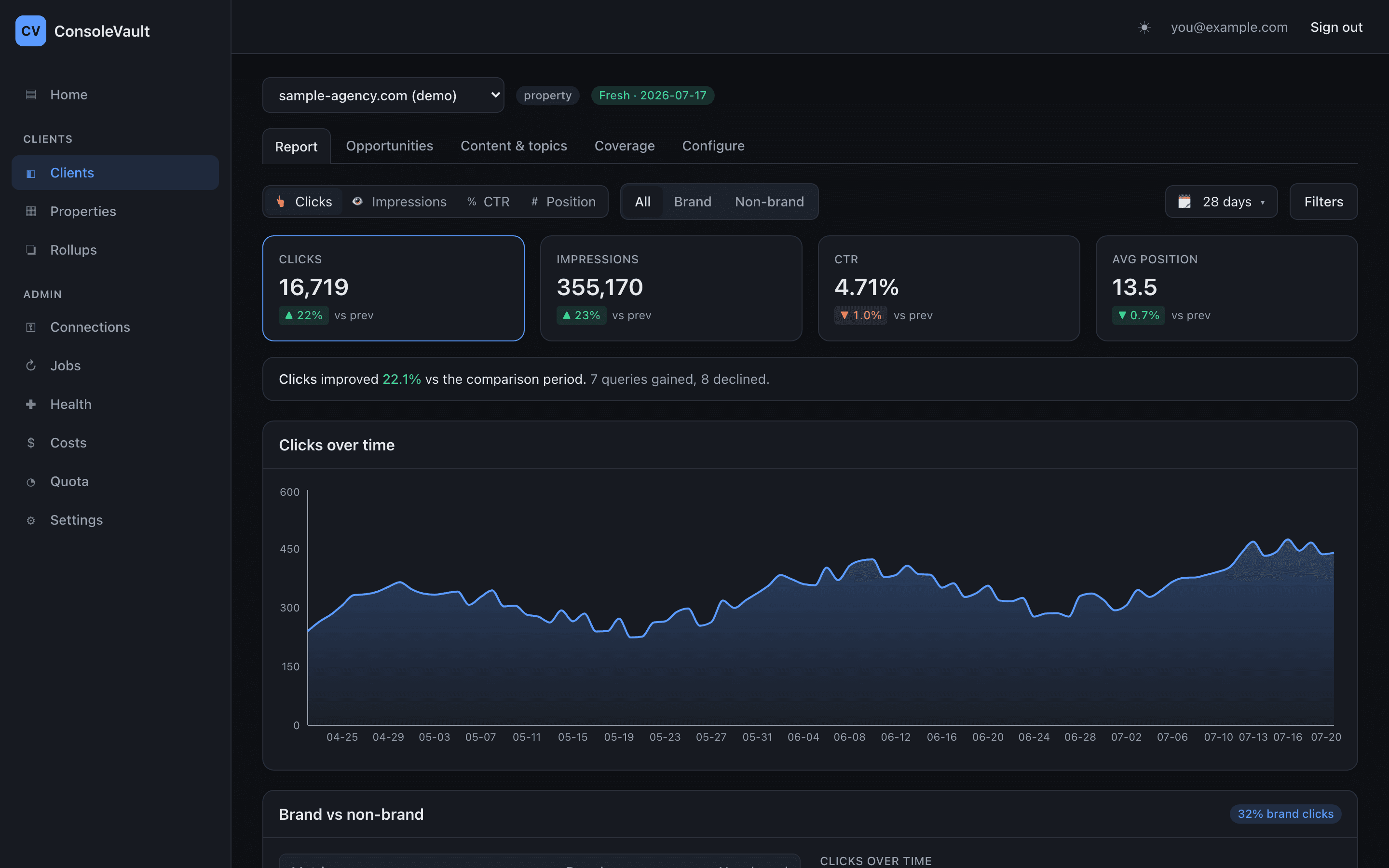
Search Console holds the only first-party record of how a site actually performs in Google — and it hands it back through an interface that shows sixteen months, one property at a time, capped at a thousand rows per export. Agencies work around it the same way everyone does: a spreadsheet export here, a half-finished script there, a different manual process per client. The data that should be the backbone of organic reporting ends up being the part nobody trusts.
ConsoleVault is an open-source pipeline that collects Search Console data into your BigQuery — every property, across every Google account you have access to, backfilled rather than forward-only, and collected daily. It deploys into a blank Google Cloud project with a single command that auto-detects the project and admin from your gcloudsetup and asks you to confirm once. There’s a browser-only path through Cloud Shell for people who don’t want to install anything.
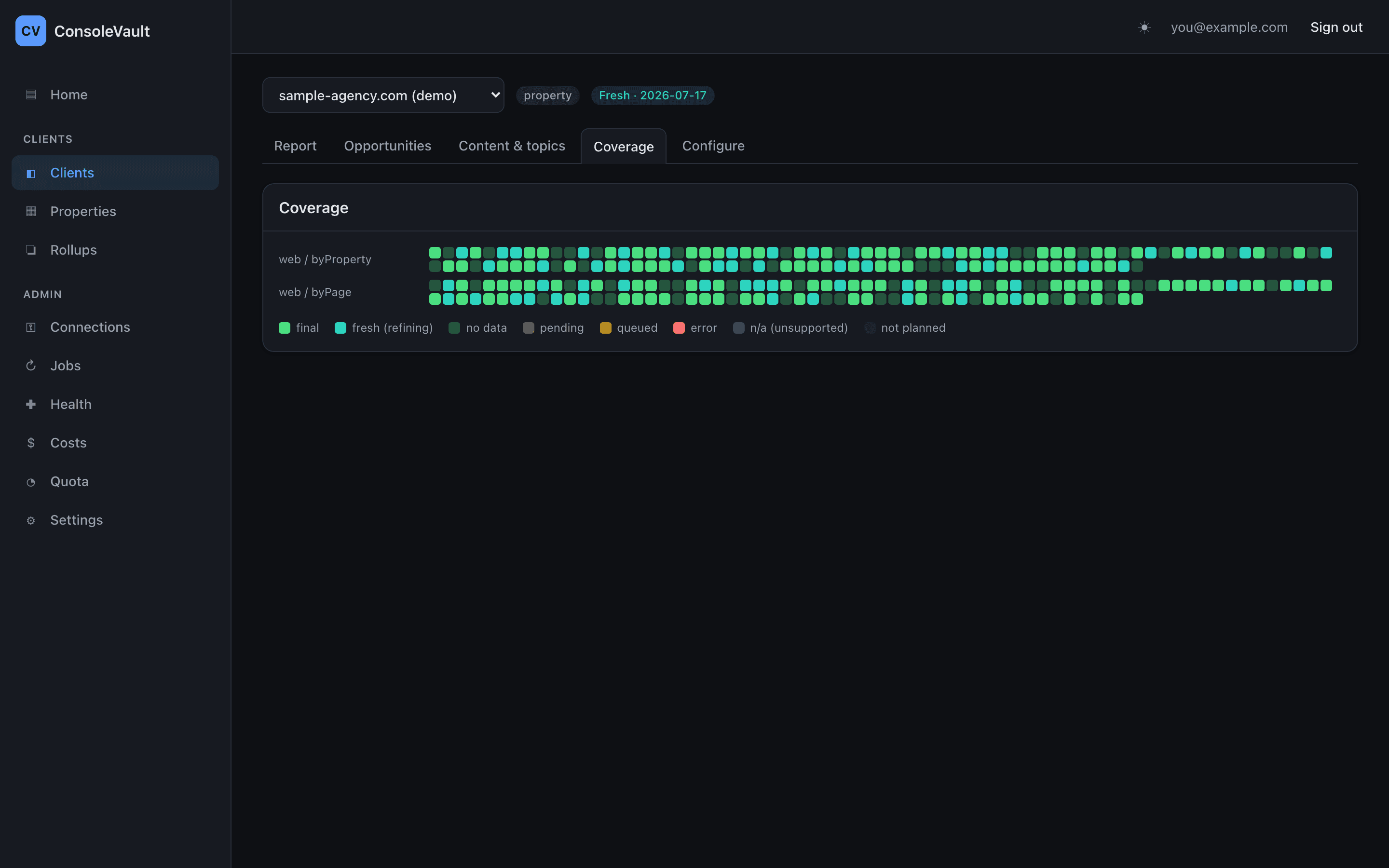
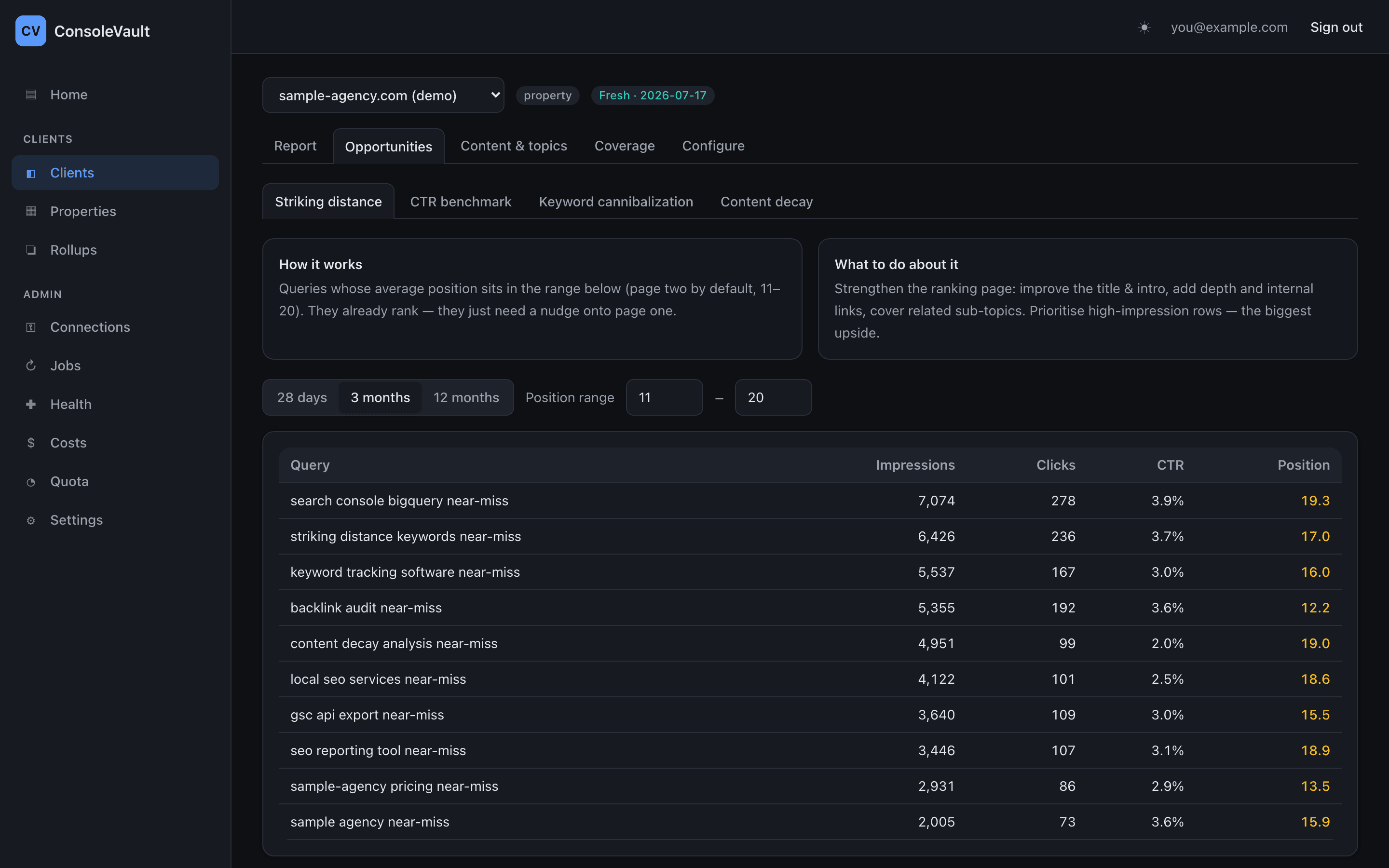
On top of the warehouse sits a reporting layer: client reports, an opportunities surface, and a coverage view that proves the data is complete. Everything is Apache 2.0 and everything runs in infrastructure you control — I never see your data, and there’s no account to create.
Collection is idempotent and keyed by day, so a retry replaces rather than duplicates. Analytics land as one table per property, with self-maintaining wildcard views that span the whole warehouse — add a client and it appears in the views without anyone touching them. Point Looker Studio at those views and you have BI over every property at once.
OAuth once per account — refresh tokens go straight to Secret Manager
Finds every property you can see, collects on a daily schedule
Idempotent by design — a retry replaces, never duplicates
Google labels recent days as still-being-processed
Days are re-collected until final, then locked — no look-back window to tune
One table per property, plus wildcard views spanning the whole warehouse
Self-maintaining — a new property appears in the views automatically
Client reports, opportunities, coverage · or wire Looker Studio to the views
Self-deploy isn't a cost-saving measure — it's the licensing model. Search Console's read scope is classified sensitive by Google. A central hosted SaaS touching it needs brand verification plus an annual third-party CASA security assessment, which runs somewhere between $500 and $4,500 a year, every year, forever. Google explicitly exempts apps used internally within an organisation. Because each agency deploys its own OAuth client, in its own GCP project, against its own data, it lands inside that exemption. That's not a workaround — it's the structure the product is built on, and it's why drifting to a hosted model later would quietly add a recurring compliance bill.
Google's own BigQuery export doesn't solve the agency problem. The native Bulk Export is genuinely good, and it's forward-only: no backfill, owner-only, one project per property. For an agency with forty client properties across a dozen Google accounts, that's unworkable as the whole pipeline. So the two are complementary rather than competing — API collection gives you backfilled history and multi-account reach, and if you already run the native export you connect that dataset and the entire reporting layer sits on top of it with no collection and no daily API ceiling.
Completeness has to be provable, not asserted. The failure mode that matters is silent: a stale refresh token stops collection, nothing errors loudly, and you find out three months later that a client's data has a hole in it. So coverage is a first-class screen — every property, every day, every aggregation type, colour-coded by whether it's final, still refining, or genuinely missing. A token-health sweep runs every six hours and alerts before the gap forms rather than after.
Freshness is a state machine, not a look-back window. Search Console days are labelled in Pacific Time, and recent days keep changing until Google finalises them. Most pipelines handle this with a re-collect window — go back N days, hope N is big enough. That's a guess, and it's wrong in both directions. This tracks each day's actual state instead: collect everything, re-collect the unfinalised days, lock a day once Google says it's done. There's no number to tune.
Data belongs in the warehouse, but insight belongs in the UI. A raw table of queries and clicks is where a reporting tool usually stops, and it's the point at which someone still has to build the actual analysis. So the reporting layer ships the four things agencies rebuild by hand every single time: striking-distance queries sitting on page two, CTR against a position benchmark, keyword cannibalisation, and content decay — each with a plain-language explanation of what it is and what to do about it.